


Self-custody is one of the best things about crypto, no bank can freeze your account, and no company stands between you and your own money. It does mean a few things work differently than what most people are used to: there's no "forgot password" link for a lost seed phrase, and no fraud department to call if someone tricks you into approving a bad transaction. That's not meant to worry you but to highlight why a little awareness goes such a long way, and exactly what this guide is here to help with.
The reassuring part: most crypto theft doesn't come from broken cryptography or a hacked blockchain. It comes from social engineering, phishing, and small habits that quietly leave a door open. Here's what actually matters for keeping Web3/decentralized wallets like SafePal secure while embracing self-custody.
1. Your Seed Phrase Is the Door to Your Assets
Your seed phrase (mnemonic phrase) is the master key to your wallet. Anyone who has it can restore your wallet on their own device and move everything out, instantly and irreversibly. As a decentralized wallet, SafePal doesn't store your seed phrase, private keys, or Security Password on its servers (which is exactly why there's no "recover my account" button if something goes wrong). Wallet users are the only “recovery system”.
A few rules matter more than any other single security step for managing seed phrases:
- Never type it into a website, app, or chatbot: This includes other common scam tactics like "wallet verification" pages, "staking dashboards," support agent impersonator requests. No legitimate process ever needs your seed phrase to fix a problem, check a balance, or "upgrade" an account.
- Never photograph it or store it digitally: no screenshots, notes apps, cloud backups, password managers, or emailing it to yourself "just for now." A digital copy is the easiest thing for malware or a compromised account to expose. This is especially so for hardware wallets where the private key is generated and encrypted in the security element chip of the device, thereby remaining isolated with enhanced security.
- Write it down physically, and keep copies in secure locations: SafePal includes mnemonic phrase cards for this reason. Two separate secure locations (say, a home safe and a deposit box) protect you against fire, flood, or theft at any single spot.
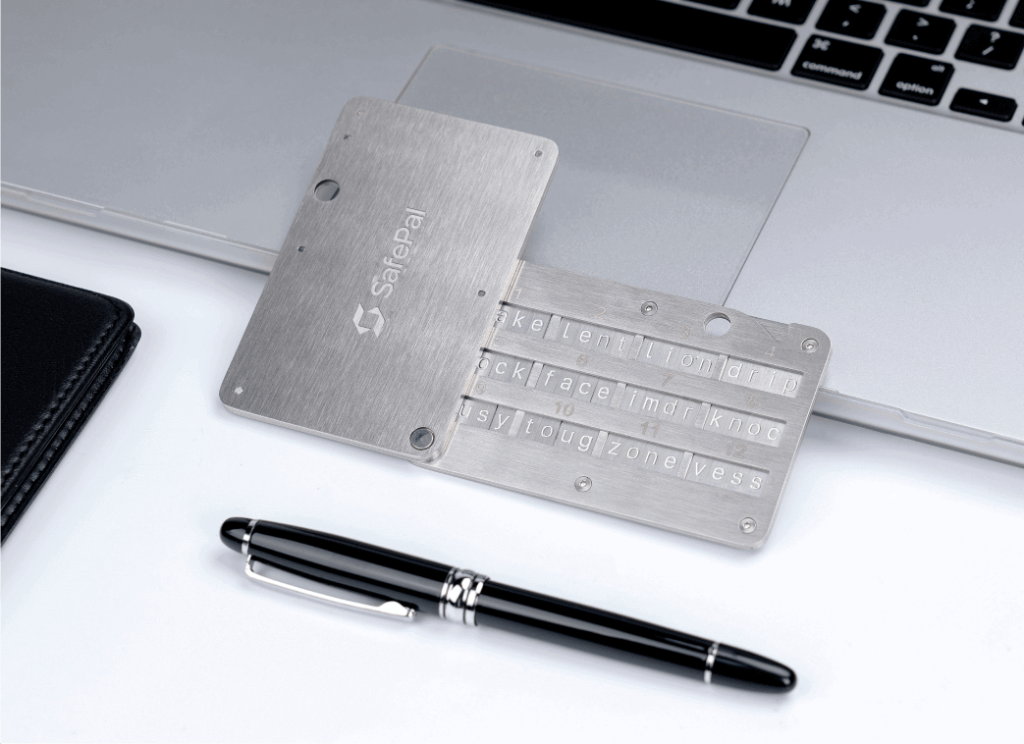
- For long-term or larger holdings, consider a seed phrase protector: Paper burns and fades; a stainless-steel option like the SafePal Cypher is built to survive fire and water damage.
- Use the passphrase feature if you're holding meaningful value: SafePal supports an optional passphrase that opens a separate, hidden wallet. Some users keep a small decoy balance in the main wallet and the bulk of their funds behind the passphrase, which can be useful insurance if you're ever pressured to unlock a device.
- Only ever enter your seed phrase when you initiated the process yourself: The seedphrase should be used for setting up a new device or restoring your own wallet through the official SafePal app. Never in response to someone else's instructions.
2. Look Before You Connect: dApps, Token Approvals, and Drainers
SafePal and other decentralized wallet explorers makes swaps, staking, NFTs, and DeFi easy to reach. This is also exactly what scammers rely on, because connecting a wallet and approving a transaction has become such a routine action that people stop reading what they're actually agreeing to.
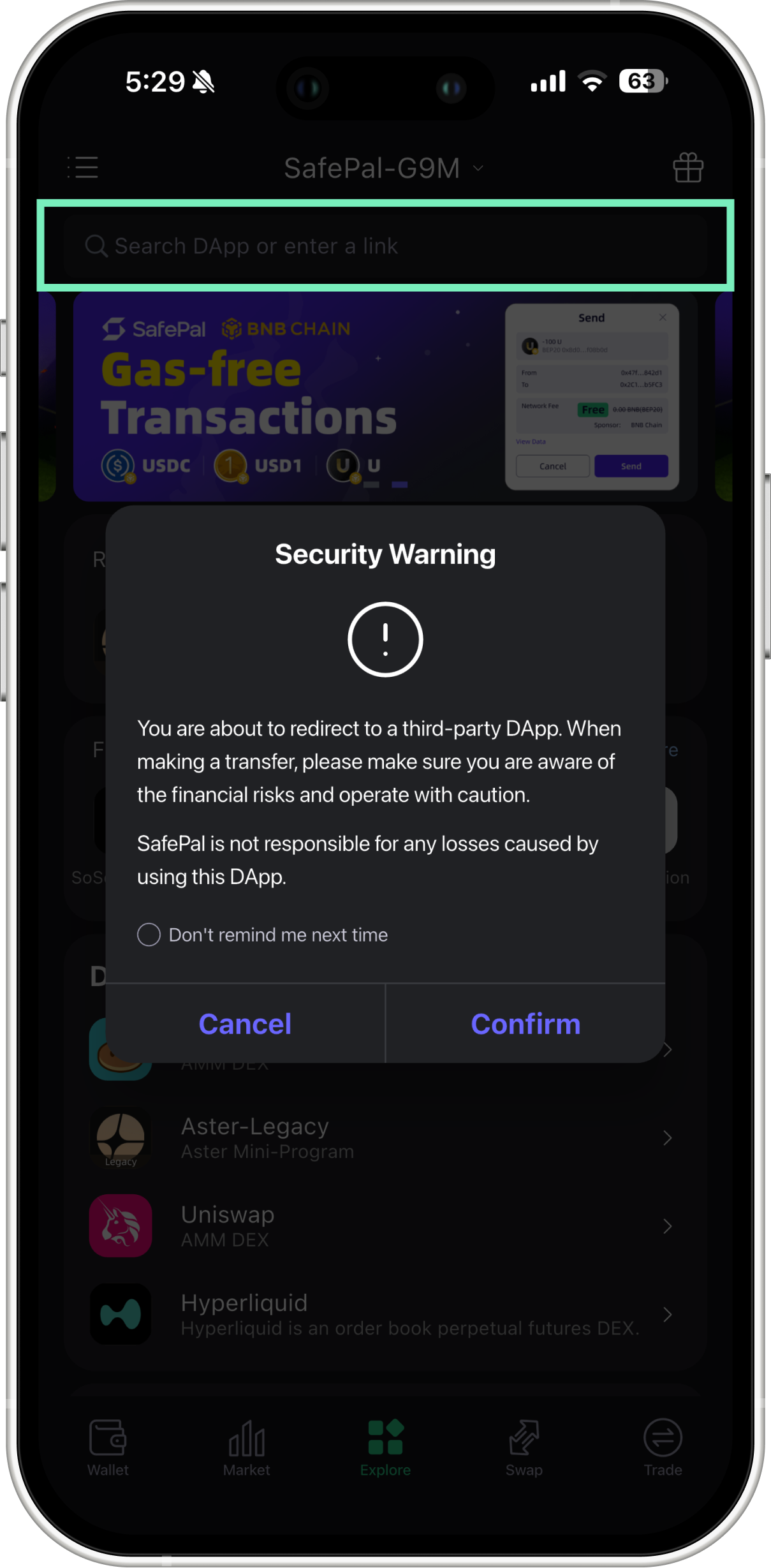
Understand what a token approval really grants. Connecting to a dApp and approving a token often does more than complete one transaction. It can hand a smart contract ongoing permission to move that token, sometimes an unlimited amount, indefinitely. That permission stays live even after you close the tab or disconnect the site. If the contract turns out to be malicious, or is compromised later, it can empty your wallet at any point in the future without any further action from you.
Habits that meaningfully reduce this risk:
- Read what you're signing. Don't blind-sign: If a request looks like unreadable code, or asks for "unlimited" approval when you meant to swap a small amount, stop and check before confirming. SafePal's transaction simulation and anti-phishing warnings exist to flag exactly this, so don't click past them out of habit.
- Approve only what you need: Using a specific spending limit instead of the default unlimited approval where the dApp allows it.
- Periodically review and revoke old approvals: This is recommended even for services you trust. An approval from a DEX you used two years ago remains active today unless you cancelled it, and if that protocol is ever hacked, your forgotten approval is the attacker's way in. To revoke approvals, use established tools like the SafePal approval manager.
- Be skeptical of unrealistic returns, "guaranteed" yields, or free-token giveaways This is especially for those which require connecting your wallet or sending funds for “unlock fees” or other common scam tactics
- Check the basics: an active development team, a real community, and a URL that matches the project's official channels rather than a close lookalike.
- Only connect through links you've verified yourself: Never access links from a random DM, an unexpected Discord announcement, or a comment under a social post.
3. Impersonators Are Betting You Won't Ask Questions
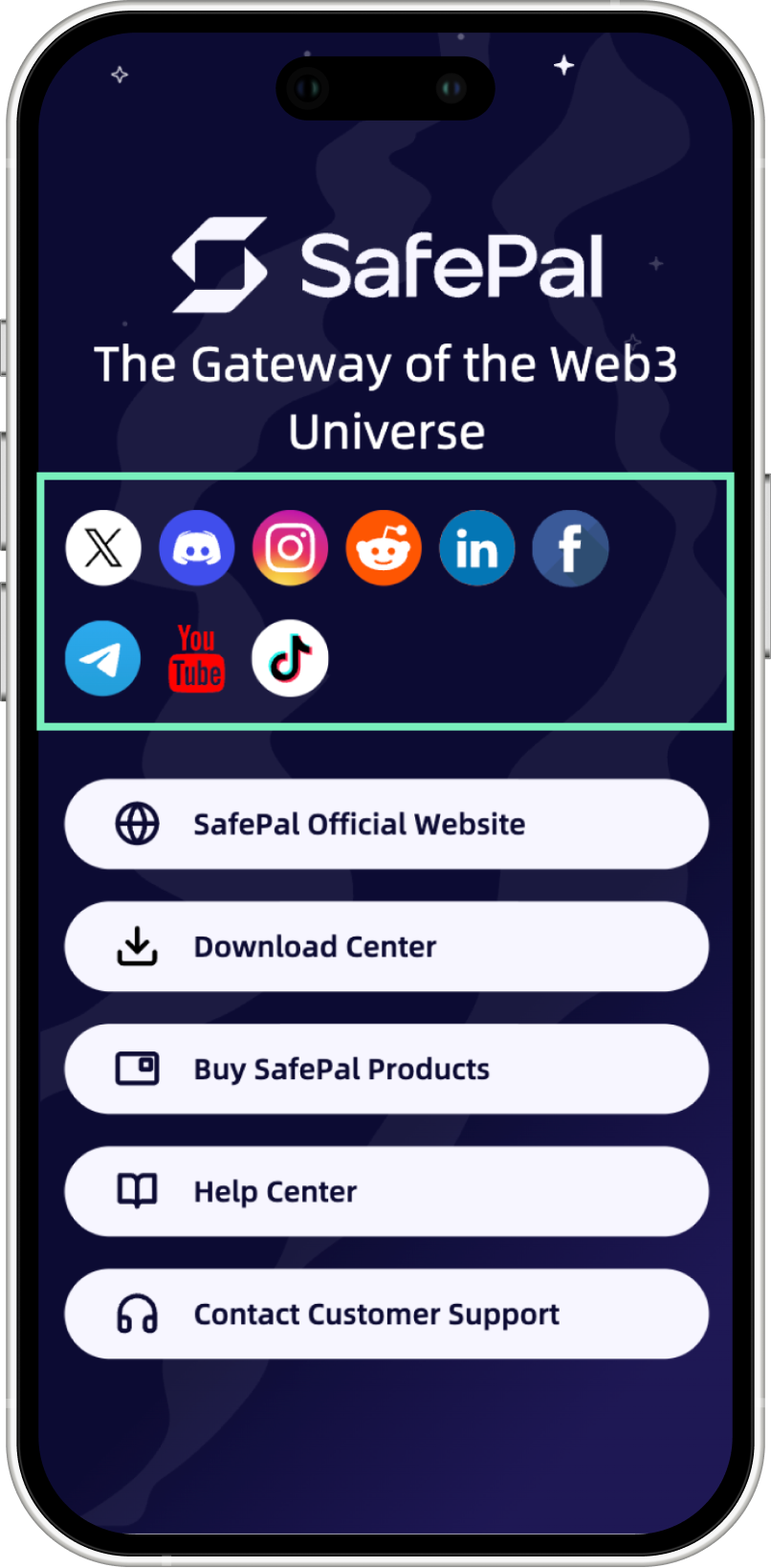
SafePal support will never message you first, and no genuine team member will ever ask for your seed phrase, private key, or Security Password for any reason. Common scam tactics include reasons like "verifying," "upgrading," or "unlocking" assets. If you need help, go to SafePal directly through its official website (www.safepal.com) and download center (www.safepal.com/download). SafePal's sitemap keeps an up-to-date list of its verified social accounts (cross-check any handle against that list rather than trusting one from memory, a search result, or whoever messaged you first).
Two scam patterns are worth knowing specifically as a SafePal user:
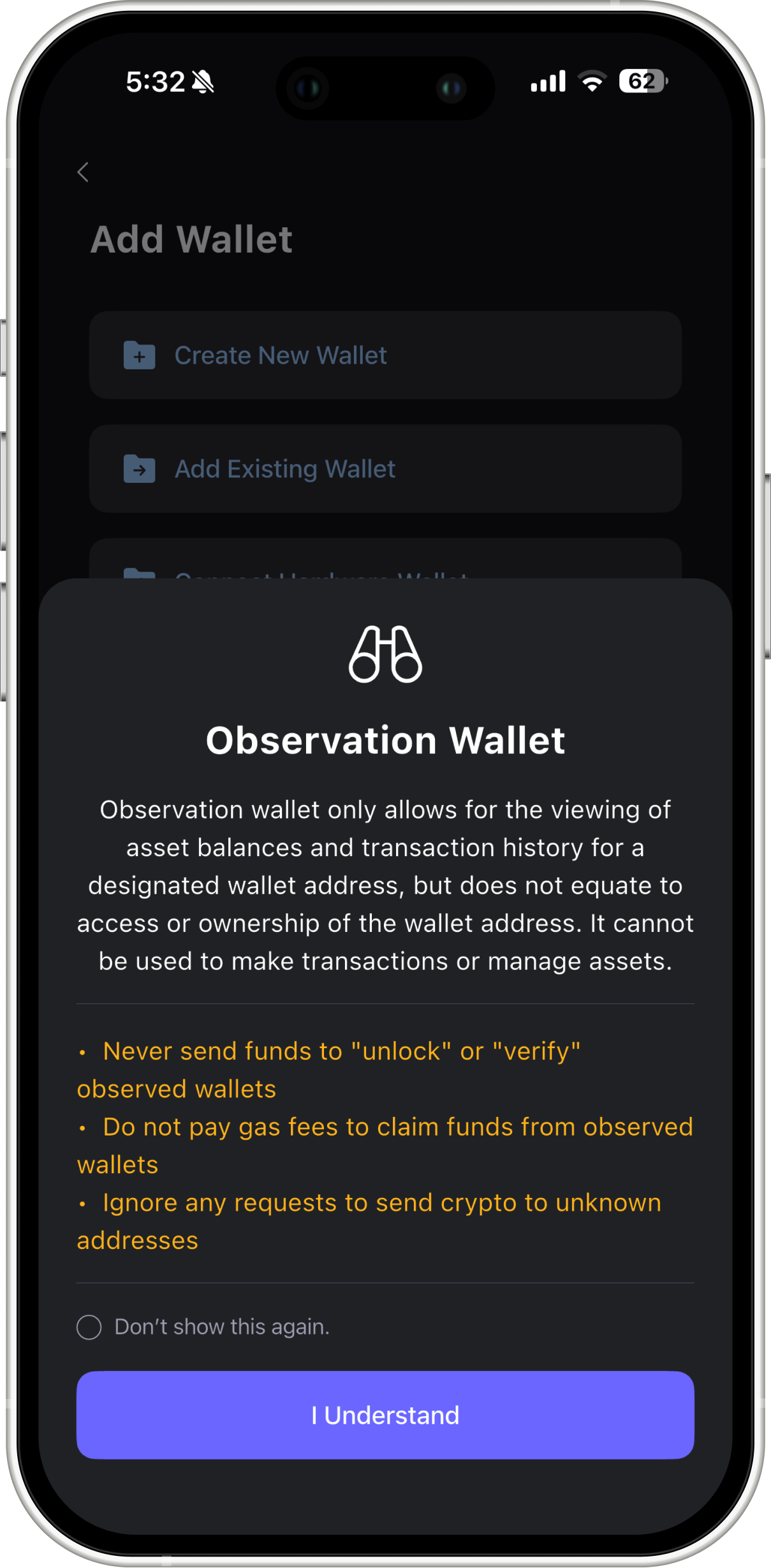
- The Observation Mode trick. Observation Mode lets you view the balance and history of any public address. it's read-only and grants no control over funds. Scammers exploit this by having a target "observe" a wallet loaded with crypto, then claiming a "gas fee" or "unlocking fee" is needed to access it. There's nothing to unlock; if someone asks you to pay to access funds you can only view, it's a scam.
- The Multi-sig Conversion trick, common on Tron. Victims are lured, often through fake "top-up" sites, into importing a seed phrase that's secretly already configured as a multi-signature wallet. Deposits work fine, but withdrawing requires a second signature that only the scammer holds. A signature error claiming a private key "does not exist" for an address you thought was yours is the telltale sign.
More broadly, watch for the standard social-engineering playbook that shows up across crypto:
- Manufactured urgency:Scammers often use tactics such as claiming "your account will be suspended," "this expires in 10 minutes," "act now" to pressure victims.
- Borrowed authority: Someone claiming to be support staff, a known figure in the space, or a friend whose account was compromised.
- A slow-built relationship: Before any ask for money, a hallmark of long-con investment and romance scams.
- AI-generated impersonation: voice clones and deepfakes of public figures or "official" accounts are increasingly convincing. A polished video or voice is no longer proof of anything.
4. Phishing Rarely Looks Like the Old "Enter Your Seed Phrase" Scam Anymore
The obvious version still exists, but current phishing is quieter:
- Fake apps and browser extensions: Convincing SafePal look-alikes have appeared on app stores and extension marketplaces. Only download from the official SafePal website or a verified app store listing, and check the developer name before installing.
- Address poisoning: Scammers send a tiny "dust" transaction from an address deliberately crafted to resemble one you've genuinely used before (matching the first and last few characters, which is often all a wallet interface shows at a glance). It then sits in your transaction history, waiting for you to copy the wrong one out of habit. Verify a full address, or use a saved contact, rather than trusting a glance.
- Fake airdrops and giveaways that require connecting a wallet or entering a seed phrase for "free" tokens or NFTs remain a reliable, long-running lure.
- Lookalike domains: One swapped character in a URL is enough to land on a convincing clone of a real site. Bookmark the official SafePal site rather than searching for it fresh each time or clicking a link from an ad or social post.
- Physical mail: It sounds dated, but official-looking letters or emails impersonating wallet companies citing a "security update" or "mandatory action" have shown up in mailboxes, directing recipients to phishing sites.
5. Let Your Hardware Wallet Do Some of the Work
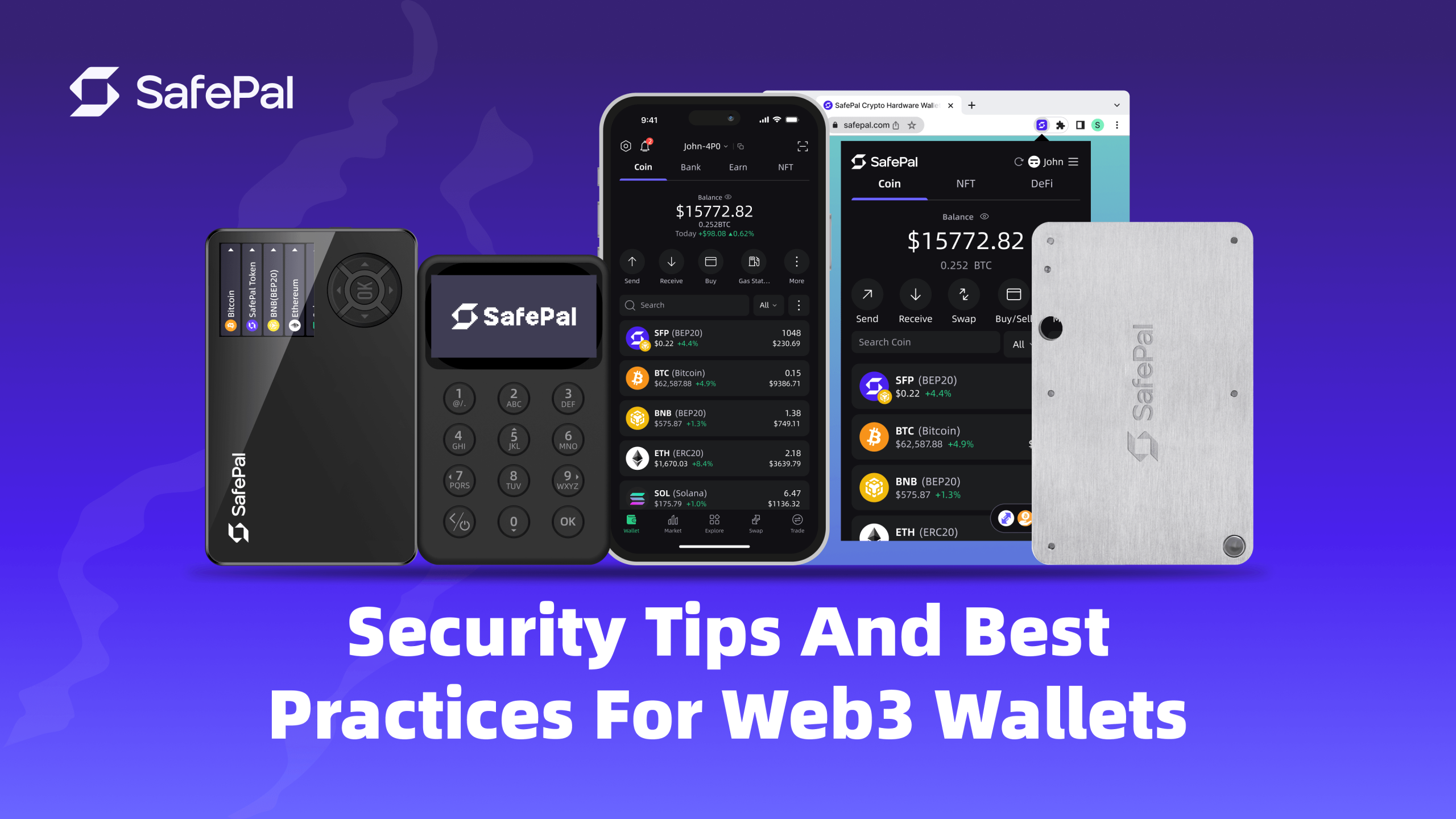
If you're using an S1, S1 Pro, or X1, a few habits get the most out of what the device is designed for:
- Check the tamper-evident seal before first use. If it's broken or missing on arrival, contact SafePal support before proceeding.
- Confirm the verification code shown in the app matches the one on the device during setup, this step exists specifically to catch a compromised or counterfeit unit.
- Only install firmware from the official SafePal source, and keep it current: Updates regularly patch newly discovered attack methods.
- Set a unique PIN, and use the passphrase feature for anything beyond a small holding.
6. If Something Feels Wrong, Take Precautions
- Revoke any token approvals you granted, through the SafePal Approval Manager or a trusted approval-checking tool.
- Move remaining funds to a brand-new wallet with a freshly generated seed phrase. Don't reuse anything from a wallet you suspect is compromised.
- Don't send any further funds to "resolve," "unlock," or "verify" anything. That request is the scam continuing, not a fix.
- Report it through SafePal's official support channels so others can be warned.
Quick Reference/ Security Reminders
- Seed phrase: Should be written down or stored securely offline, never typed anywhere, never photographed, and never shared with anyone.
- dApps: read before you sign, approve only what's needed, revoke what you don't use.
- People: SafePal never DMs or contacts to ask for your seed phrase, private information or funds,.
- Links: typed or bookmarked, never clicked from a DM, ad, or comment.
- Hardware Wallets: verify the seal, verify the code, update only from official firmware.
None of this requires being a security expert. It just means giving your seed phrase, your approvals, and your attention the same seriousness you'd give a bank vault. For as long as you're self-custodying crypto, you are the guardian and protector of your assets.
About SafePal:
Founded in 2018, SafePal is a next generation non-custodial crypto wallet suite backed by Animoca Brands, Binance and Superscrypt. The suite empowers access to decentralized and centralized finance on 200+ blockchains across its hardware, software, and browser extension wallet solutions.
Encompassing a diverse mix of crypto asset management solutions like cross-chain swapping, trading and yielding tools, centralized exchange (CEX) mini programs, a banking gateway and Mastercard for users — SafePal serves 30 million users globally across 200+ regions and countries in 16 languages.
SFP is a decentralized BEP-20 and ERC-20 token fuelling the SafePal ecosystem with various utilities such as discounts on SafePal products, staking boost and airdrop rewards, seamless conversion to gas tokens, and more.
Stay informed about SafePal here